

The transition from experimental generative art to production-ready campaign assets is where most agency workflows encounter significant friction. In the early stages of the “AI hype cycle,” clients were often satisfied with the novelty of a generated visual. However, as the novelty has worn off, the demand for brand-consistent, high-fidelity outputs has intensified. Agencies now face a specific technical challenge: how to utilize generative tools not just for a “lucky” one-off prompt, but as a reliable part of a professional asset pipeline.
For a creative operations lead, the bottleneck isn’t the ability to generate images; it is the ability to control them. When a global brand requires a visual identity to remain consistent across sixteen different social media formats, a billboard, and a print catalog, the unpredictability of latent space becomes a liability. Moving away from “vibe-based” prompting toward a structured, localized editing process is the only way to maintain quality at scale.
The Fragmentation Trap in Agency AI Workflows
A common pitfall in agency creative departments is the “Fragmentation Trap.” This occurs when a team relies too heavily on wide-scale text-to-image generation without a centralized method for refinement. You might get a prompt that produces a visually stunning landscape, but when you attempt to generate a similar character within that landscape for a follow-up ad, the lighting, textures, and lens perspective shift entirely.
This “vibe-based” prompting often fails during the multi-channel rollout phase. If the creative director approves a specific aesthetic—say, a 35mm grain with high-key lighting—standard generators often struggle to replicate that exact photographic logic across subsequent batches. The result is a fragmented campaign where each asset looks like it belongs to a slightly different project.
Furthermore, there is a hidden operational cost to high-volume generation. While generating 500 images takes minutes, the “search time” required for a senior art director to sift through those images, identify the one usable frame, and then flag the anatomical errors in that frame is a massive drain on resources. Agencies are beginning to realize that the “uncanny valley” is not just a visual problem; it is a financial one. If an image looks 90% perfect but has a distorted brand logo or a nonsensical shadow, the time spent fixing it often rivals the time it would have taken to build it from scratch in a traditional 3D environment.
Localized Precision: Beyond the Global Prompt
The shift from global prompts to localized editing is the defining characteristic of a mature AI workflow. Instead of re-rolling a prompt and hoping the software “gets it right” this time, production-savvy teams are turning to targeted tools. A professional AI Image Editor allows for surgical iteration, where the primary composition is locked, and only specific regions—such as a product label, a model’s expression, or an environmental detail—are modified.
This “mask-and-edit” approach is technically superior for several reasons:
- Preservation of Composition: When you find a layout that works for a client’s layout requirements, you cannot afford to change the camera angle. Localized editing ensures the horizon line and focal length remain static while you iterate on the subject.
- Character and Object Continuity: By using image-to-image workflows within an AI Image Editor, teams can use a “source” asset as a structural guide. This prevents the “morphing” effect where a product or character changes weight or features between different ad variants.
- Error Correction: AI models frequently struggle with specific textures or complex geometry (such as the spokes of a bicycle or the intricate lace of a garment). Rather than discarding an otherwise perfect image, local in-painting allows designers to fix these artifacts without altering the surrounding environment.
It is worth noting that while these tools have advanced rapidly, they are not yet a “one-click” solution for every error. There is still a notable limitation in how AI handles complex overlapping transparencies—like glass reflecting a specific neon sign. In these cases, even the best AI Image Editor may require a manual compositor to clean up the edges in a traditional layer-based program.
Architecting a Brand-Safe Asset Pipeline
To operationalize these tools, agencies must move toward a “Source of Truth” model. This involves creating a master reference image—often generated or heavily edited to meet brand standards—and using it as the anchor for all subsequent generative work.
A brand-safe pipeline typically follows this progression:
- Structural Reference: Use a rough 3D render or a sketch as a “Control” image to dictate the geometry.
- Style Infusion: Apply specific brand loras or styles to ensure the color palette is locked to the client’s HEX codes.
- High-Fidelity Upscaling: Generative outputs are often too low-resolution for print or 4K displays. Professional pipelines incorporate dedicated upscaling and denoising stages to remove “AI fuzz” and introduce realistic photographic noise that matches the client’s existing photography.
- Manual Layer Control: The final 10% of any campaign asset should still involve manual compositing. Separating the background from the foreground allows for flexible typography placement and ensures that the brand’s product isn’t “baked in” to the background in a way that makes future edits impossible.

Operationalizing the AI Photo Editor in Daily Sprints
In a fast-paced agency environment, the goal is to reduce the time between “concept” and “deliverable.” This is where the specific features of an AI Photo Editor become indispensable. During daily sprints, teams often need to repurpose a single high-quality asset for different global markets or demographic segments.
For example, a face-swap module isn’t just a gimmick; for an agency, it’s a localization tool. You can take a single campaign shoot and, with proper ethical permissions and high-quality source imagery, adapt the models to better reflect the demographics of specific regions without the cost of four separate photo shoots. Similarly, an object-erasure tool allows editors to quickly remove distracting elements from a stock photo or a generated background that would otherwise clash with the client’s product placement.
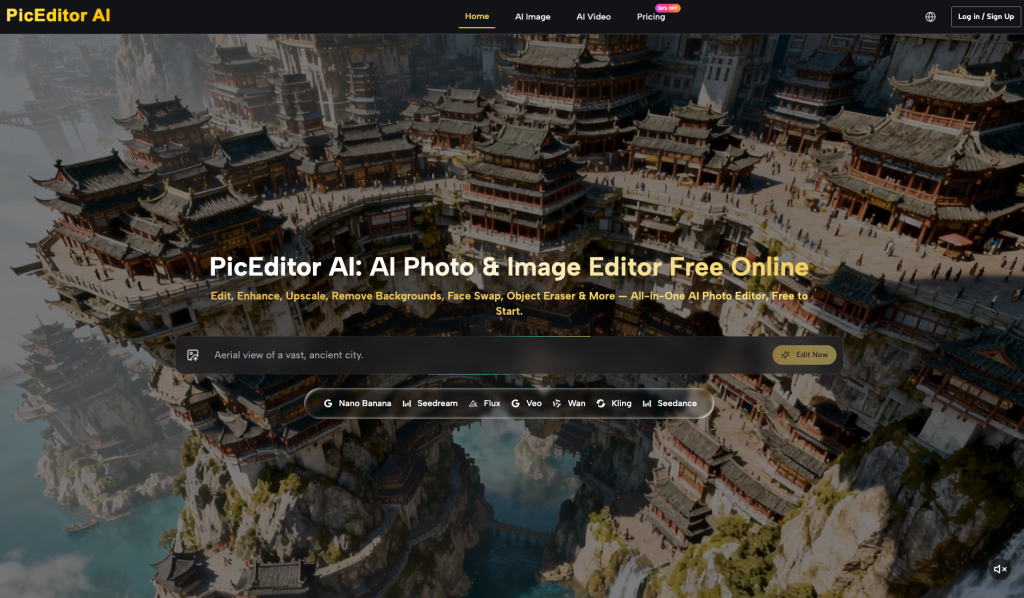
Platforms like PicEditor AI facilitate this by consolidating multiple specialized models—like Flux for high-fidelity realism or Nano Banana for creative flexibility—into a single interface. This prevents “tool fatigue” where designers have to jump between five different beta websites to complete a single image. By having an AI Photo Editor that handles everything from background removal to upscaling in one place, the workflow stays fluid.
However, agencies must maintain a strict “Human-in-the-Loop” QA process. Even with advanced tools, AI-generated artifacts can be subtle. A missed sixth finger or a nonsensical reflection in a window can ruin a brand’s credibility if it reaches the public. We set internal benchmarks where every “AI-assisted” asset must be reviewed at 200% zoom by a human editor before export.
Hard Limits and Ethical Boundaries in Production
Despite the rapid progress of generative media, there are several areas where expectation-resetting is necessary for both the agency and the client. Acknowledge these limits early to avoid over-promising on a project’s timeline or technical feasibility.
One of the most persistent struggles is precise typography. While models like Flux have made leaps in rendering legible text, they still lack the kerning and weight precision required for brand-critical logos or headlines. For professional work, we treat AI-generated text as a placeholder at best. Manual vector overlays in software like Illustrator remain non-negotiable for any asset where the brand’s wordmark is present.
There is also the matter of “physical logic.” AI is an expert at simulating the look of lighting, but it does not yet understand the physics of it. For technical industrial renders—such as an exploded view of a mechanical engine—AI often fails to maintain the functional relationship between parts. If a client needs a high-accuracy technical visualization, traditional CAD or 3D rendering is still the safer, more ethical path.
Finally, the legal landscape regarding training data remains a point of uncertainty. While many platforms are moving toward “clean” training sets, agencies must be diligent about which tools they use for client work. Using platforms that are transparent about their model sourcing is essential for protecting the agency and the client from future copyright disputes.
By treating generative tools as a sophisticated extension of the creative suite—rather than a replacement for it—agencies can scale their visual output without sacrificing the precision that high-tier clients demand. The key is to stop asking what the AI can create and start asking how the AI can be edited to meet the standard.
