

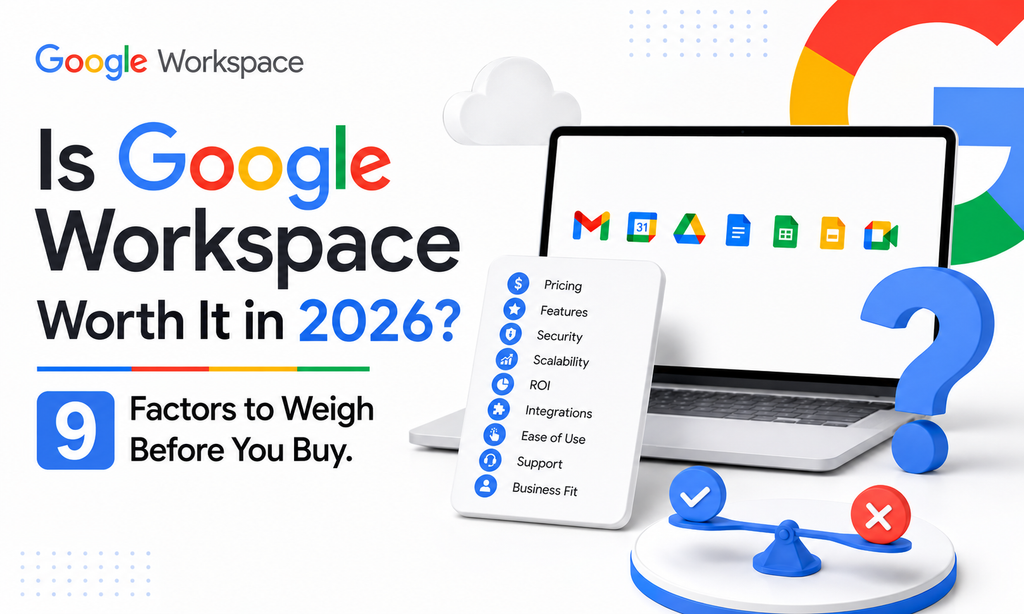
Whether Google Workspace is worth it depends on who’s asking. A solo consultant weighing it against free Gmail faces a different calculation than a 20-person team comparing it to Microsoft 365. Rather than a single yes-or-no answer, here are the nine factors that actually determine whether it’s worth the cost for your specific situation.
1. What You’re Actually Comparing It Against
Google Workspace’s price only makes sense next to what it replaces. At its core, every paid plan bundles a professional email address on your own domain, cloud storage through Drive, real-time document collaboration through Docs, Sheets, and Slides, video conferencing through Meet, and an admin console for managing users and security. The alternative isn’t “free,” it’s assembling those pieces separately: standalone email hosting, a file-sharing tool, a video conferencing subscription, and a document editor, each with its own login and monthly cost. Compared item by item rather than against a free Gmail account, Workspace’s bundled price usually comes out ahead.
2. The Official Price Tag
Google’s official Business tier pricing looks like this:
| Plan | Official Price | Storage per User | Key Features |
| Business Starter | $8/user/month | 30GB | Custom email, Docs/Sheets/Slides, Meet, Gemini in Gmail |
| Business Standard | $18/user/month | 2TB pooled | Meeting recording, Gemini across apps, larger meetings |
| Business Plus | $28/user/month | 5TB pooled | Enhanced security, eDiscovery, larger meeting capacity |
3. The Reseller Price Tag, Which Changes the Math Considerably
Google’s official rate isn’t the only price on the table. Authorized resellers sell the identical product, same Google infrastructure, same admin console, at meaningfully lower per-user rates. Leads Monky offers Business Starter from $3/user/month for 5 to 299 users (dropping to $2.50/user/month at 300+), Business Standard from $13/user/month, and Business Plus from $20/user/month. GoogleWorkspace Resellers offers a comparable structure at the same rates. For a 10-person team, that’s roughly $960/year direct from Google versus $360/year through a reseller, for the identical product. This gap alone changes the “worth it” answer for a lot of price-sensitive small businesses.
4. Whether You’re a Solo Professional
This is the case where the answer is genuinely close. A freelancer can get a Gmail address for free, and Google also sells a cheaper Workspace Individual plan (around $10/month) built specifically for solo professionals who want a custom domain without full team pricing. Whether the jump from free Gmail to a paid custom domain is worth it usually comes down to client perception: a proposal from you@yourfirm.com reads as more established than one from you@gmail.com. For consultants or agencies billing clients directly, that credibility difference often outweighs the monthly cost; for a hobby project with no client-facing communication, it’s a harder case to make.
5. Whether You’re a Small Team (5 to 50 People)
At this size, custom email is almost always worth it; the real question is which plan and how much storage you’ll actually need. Business Starter’s 30GB per user works fine for a team that isn’t storing large files, but a business sharing a lot of documents, images, or video will hit that ceiling faster than expected once it’s split across multiple people. Business Standard’s 2TB pooled storage and AI-assisted features across Docs, Sheets, and Meet tend to justify the upgrade for teams doing regular client-facing document work. At this size, the reseller pricing gap becomes the bigger lever: the difference between $18 and $13/user/month across 20 people is roughly $1,200/year.
6. What You’re Paying For Beyond Email
Some of the value doesn’t show up in a simple “email cost” comparison. Security is one piece: every plan includes two-factor authentication, admin-level password policies, and phishing protection that would otherwise require separate tools or IT effort to replicate. Real-time collaboration in Docs and Sheets removes the version-control headaches of emailing files back and forth. And Gemini AI is increasingly part of the actual value rather than a marketing add-on, with meeting summaries, writing assistance, and (on higher tiers) AI support across the whole suite included in the subscription price rather than sold separately.
7. How It Stacks Up Against Alternatives
Microsoft 365 is the most common alternative businesses weigh against Workspace, particularly for teams already invested in Excel or Outlook workflows. Zoho Workplace is a lower-cost option some small businesses consider, trading some polish and AI depth for a lower price point. Standalone email hosting through a domain registrar is the cheapest option on paper, but it doesn’t include the collaboration suite, meaning a business choosing that route typically ends up paying for separate document and meeting tools anyway. Most businesses that compare these options side by side and still land on Workspace do so because the bundled price, compared apples to apples, comes out ahead.
8. When It’s Probably Not Worth It
A one-person operation with no client-facing communication and no collaboration needs likely doesn’t need to pay for anything beyond free Gmail. A business already deeply invested in Microsoft’s ecosystem, running complex Excel models or SharePoint workflows, will find switching costs eat into any savings from moving to Workspace. And a business with specific compliance requirements should confirm the exact tier it needs meets those requirements rather than assuming any paid plan automatically covers it.
9. How to Actually Get the Best Price If You Decide It’s Worth It
If Workspace is the right fit, the way you buy it matters as much as which plan you pick. Buying direct from Google means paying the full official rate. Buying through an authorized reseller like Leads Monky or GoogleWorkspace Resellers gets you the identical product, same servers, same support tier, at a meaningfully lower per-user rate, often with setup or migration assistance included. Switching between resellers, or back to Google’s direct billing later, is generally possible if your needs change down the line.
Common Mistakes When Deciding If It’s Worth It
Comparing only the sticker price, not the bundle. Businesses sometimes compare Workspace’s per-user price against a cheap standalone email host without accounting for the fact that Workspace also includes document tools, video conferencing, and meaningful storage that the cheap host doesn’t.
Paying Google’s direct retail price without checking reseller options. The same product, same infrastructure, same support, is available through authorized resellers at a lower per-user rate. Skipping that comparison means paying more for no additional benefit.
FAQs
Is Google Workspace worth it for a small business?
Yes, for most small businesses, since it bundles professional email, document collaboration, video meetings, and admin security into one subscription at a lower combined cost than assembling each piece separately. The value increases further when purchased through an authorized reseller.
Is Google Workspace worth it for one person?
It depends on whether client-facing credibility matters to your work. A custom domain email address often justifies the cost for freelancers and consultants billing clients directly; a personal or hobby project with no external communication usually doesn’t need it.
How much does Google Workspace cost per month?
Official pricing starts at $8/user/month for Business Starter, $18/user/month for Business Standard, and $28/user/month for Business Plus. Through an authorized reseller, those rates typically drop to $2.50 to $3, $13, and $20/user/month respectively.
Is Google Workspace better than Microsoft 365?
Neither is universally better. Google Workspace tends to be simpler to administer and less expensive at comparable tiers, while Microsoft 365 tends to fit better for teams already relying on desktop Excel or Outlook workflows.
What’s the cheapest way to get Google Workspace?
Buying through an authorized reseller instead of directly from Google is the most reliable way to lower the cost without losing any features. Leads Monky and GoogleWorkspace Resellers both offer the same product Google sells directly at a meaningfully lower per-user rate.
Conclusion
For most small businesses and client-facing solo professionals, Google Workspace is worth it, not because it’s the cheapest possible email solution on paper, but because it bundles email, storage, collaboration, and security into one predictable monthly cost that would otherwise require several separate subscriptions to replicate. The decision that actually saves money isn’t whether to buy Workspace, it’s how: buying through an authorized reseller like Leads Monky or GoogleWorkspace Resellers gets you the identical product at a meaningfully lower price than Google’s direct retail rate.
