

You spent three months building your indie game. Launch week arrives — and the only thing missing is music. Hiring a composer costs $500–$3,000. Stock libraries feel generic. Your trailer goes live with placeholder tracks anyway.
AI-generated music has closed that gap significantly. Tools like AI Song Agent let developers produce custom, royalty-free soundtracks in minutes — this article walks through exactly how.
Why Indie Developers Struggle to Get the Right Music
Music is routinely the last item in an indie game’s budget — and often the first thing cut. The result is either a mismatched stock track or complete silence during demo builds. Both hurt first impressions in a market where players decide within 30 seconds.
The Cost and Access Problem
Commissioning original music isn’t just expensive — it’s slow. A single loop for a menu screen can take two to three weeks of back-and-forth with a freelancer. Most solo developers and small studios simply don’t have that runway, especially when launch dates shift every other week.
The Copyright and Licensing Trap
Even when developers find affordable stock music, licensing terms are a minefield. Platforms like YouTube, Twitch, and Steam each have different rules. Using the wrong license can result in content strikes, demonetized streams, or even takedown notices. Many developers only discover this after launch — when it’s too late to swap tracks.
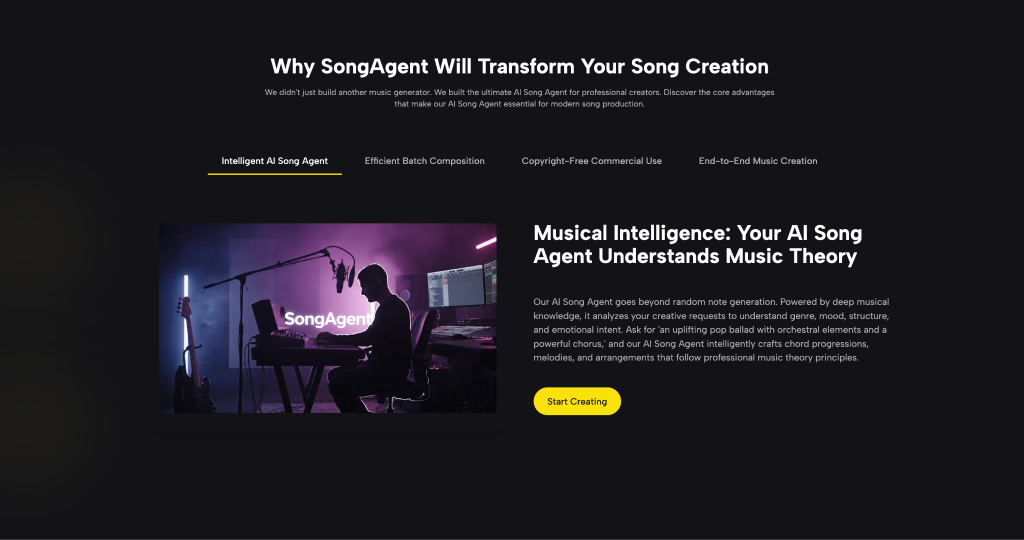
What SongAgent Actually Lets You Do
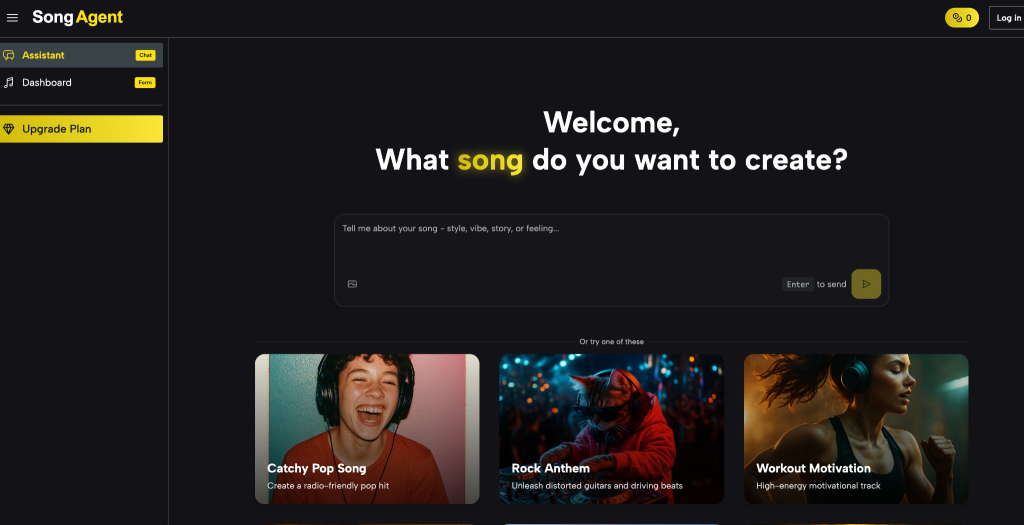
Song Agent is a browser-based AI music tool. No account needed to start, no subscription paywall on the core features, and every track you generate belongs to you. It’s built for people who need working audio — not music producers looking to experiment.
Simple Mode vs Custom Mode
Simple Mode works when you need something fast — type a short description like “tense dungeon crawl, dark ambient, slow tempo” and get a track in under a minute. It’s ideal for prototyping, placeholder audio during development, or quick turnarounds for game jam submissions.
Custom Mode is where the real control lives. You independently set the title, style tags, mood, vocal type, tempo, and supply your own lyrics if needed. This is the mode to use when a specific cutscene or boss fight has a precise emotional requirement that a single vague prompt won’t reliably hit. The difference in output consistency between the two modes is noticeable — Custom Mode reduces the number of regenerations you need to land on something usable.
AI Lyrics Generator and Extend Song
AI Lyrics Generator handles vocal tracks for opening cinematics, credits sequences, or promotional trailers. Give it a theme and style direction and it produces usable lyrics you can feed directly back into a generation — no blank-page writing required.
Extend Song solves one of the most common frustrations in AI music production: a generated track is 45–60 seconds but your scene runs three minutes. Extend preserves the original harmonic structure, key, and stylistic tone while stretching the duration. There’s no jarring transition or style drift mid-loop, which makes it genuinely useful for in-game background music that needs to run continuously without the player noticing a seam.
Vocal Remover and MP3 to WAV
Vocal Remover is useful when you have an existing reference track you legally own and need an instrumental-only version — for background gameplay music or a trailer where spoken dialogue needs to sit clearly over the audio without competing with a vocal melody.
MP3 to WAV matters when your game engine or audio middleware — Unity, FMOD, Wwise — requires lossless source files for professional integration. Exporting compressed MP3 files directly into an audio pipeline can introduce inconsistent volume and EQ behavior; WAV eliminates that variable.
The real advantage isn’t any single feature — it’s that the entire workflow from initial idea to export-ready audio stays inside one tool, without routing through separate apps at every step.
How to Generate Your First Track in Under 10 Minutes
Step 1 — Define the scene
Before opening the tool, write one sentence describing the emotion, not just the genre. This directly shapes your prompt quality.
Step 2 — Write a strong prompt in Custom Mode
Weak prompt:
| “fantasy music” |
Strong prompt:
| “Epic orchestral battle theme, brass-heavy, fast tempo, no vocals, cinematic tension building to a climax” |
The difference in output quality is significant. More specificity = fewer regenerations.
Step 3 — Extend and iterate
If the first output is close but too short, use Extend Song immediately — don’t regenerate from scratch. It keeps the harmonic structure intact. Adjust mood or tempo tags for the next variation if you want a different feel entirely.
Step 4 — Export in the right format
Download as WAV using MP3 to WAV before importing into your game engine. Most professional audio pipelines require it.
How to judge your output:
- Keep it if the emotional tone matches the scene within the first 10 seconds
- Keep it if the tempo holds consistently through the track
- Regenerate if the instrumentation randomly shifts mid-track or feels stylistically inconsistent
How SongAgent Compares to Other AI Music Tools
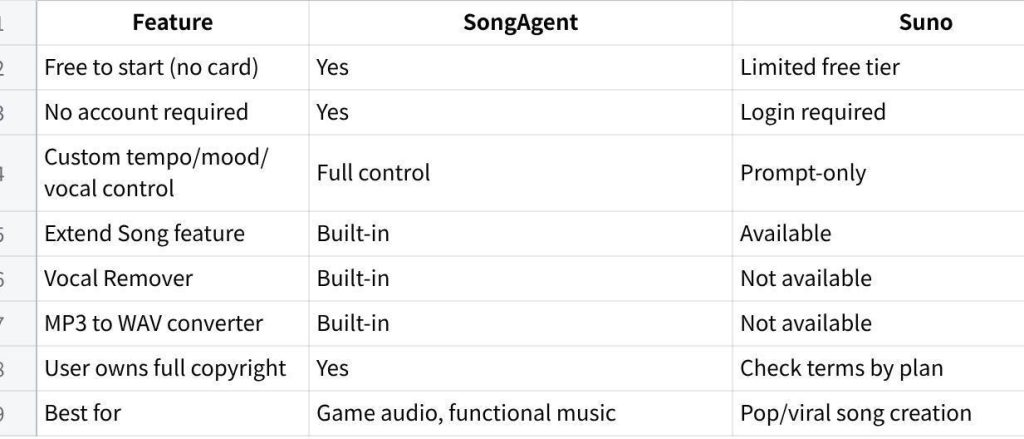
点击图片可查看完整电子表格
For developers and content creators who need functional, scene-specific music, SongAgent’s Custom Mode gives a level of control that prompt-only tools simply don’t offer. Setting tempo, mood, vocal type, and rhythm independently — rather than hoping a single text prompt captures all of that — produces more predictable results. The built-in Vocal Remover and MP3 to WAV tools also mean you’re not switching between three different apps to finish a single audio asset.
Worth Trying Before You Budget for a Composer
If you’re a solo developer or small team shipping your first title, SongAgent is a solid starting point. It won’t replace a composer for a narrative-heavy RPG with 40 minutes of dynamic score — but for most indie games, it handles 80% of music needs at zero upfront cost. Start with a few prototype tracks before deciding whether you actually need to hire out. The time you save in the early stages is usually worth more than the marginal quality difference.
