

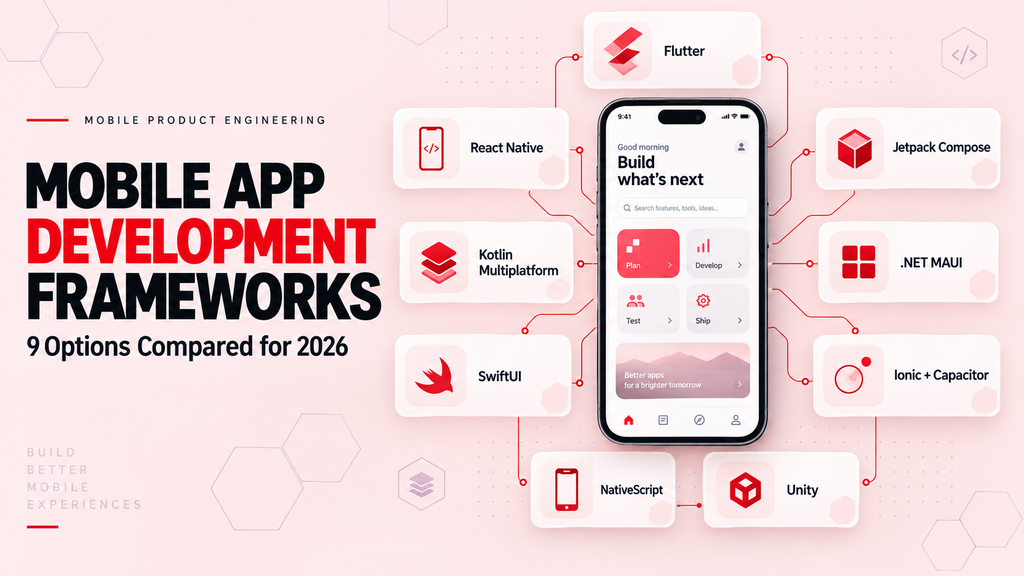
Choosing among mobile app development frameworks is not a popularity contest. Each option makes different trade-offs involving shared code, interface control, native capabilities, performance, team skills, and long-term maintenance. Whether a business develops internally or works with a mobile app development company in usa, the decision should begin with product requirements rather than a preferred programming language.
There is no universally best mobile framework. Flutter works well when one team needs a highly controlled interface across platforms. React Native with Expo suits many React and TypeScript teams. Kotlin Multiplatform supports selective code sharing while preserving native flexibility. SwiftUI and Jetpack Compose remain strong choices for platform-specific applications.
This guide compares nine current options by product fit, technical model, team requirements, and maintenance risk.
Key Takeaways
- Mobile development frameworks, UI toolkits, native runtimes, code-sharing technologies, and game engines solve different problems.
- Flutter provides a shared interface and application layer across multiple platforms.
- React Native with Expo is a practical option for teams already experienced with React and TypeScript.
- Kotlin Multiplatform can share business logic without requiring a shared interface.
- SwiftUI is designed for Apple platforms, while Jetpack Compose is Google’s modern native Android UI toolkit.
- Ionic and Capacitor are suitable for web-first products but still require mobile-specific testing and native configuration.
- .NET MAUI is most relevant to organizations already invested in C# and Microsoft technologies.
- Unity should primarily be evaluated for games, simulations, and graphics-intensive experiences.
- Cross-platform development does not eliminate platform-specific engineering, testing, or release work.
- The safest framework decision is usually based on a representative technical prototype rather than feature comparisons alone.
What Is a Mobile App Development Framework?
A mobile app development framework provides reusable libraries, runtime behavior, development conventions, and tooling for building applications that run on mobile devices.
Depending on the technology, a framework may help manage:
- Interface components
- Navigation
- Application state
- Device APIs
- Native platform communication
- Build configuration
- Testing
- Debugging
- Packaging
- App-store deployment
The term “framework” is often used loosely. Not every technology compared in mobile-development discussions performs the same role.
Flutter provides a complete cross-platform UI toolkit. React Native connects React applications with native platform components. Kotlin Multiplatform shares code between platforms. SwiftUI and Jetpack Compose build native interfaces for their respective ecosystems. Capacitor packages web applications inside native projects and connects them to device capabilities.
Understanding these differences is more useful than simply comparing the number of supported platforms.
Frameworks, Toolkits, Runtimes, and Game Engines Are Not the Same
Mobile technologies should first be classified by what they control.
| Category | Examples | Primary responsibility |
| Native UI toolkit | SwiftUI, Jetpack Compose | Builds interfaces for a specific platform ecosystem |
| Shared-UI framework | Flutter, React Native, .NET MAUI | Shares interface and application code across platforms |
| Code-sharing technology | Kotlin Multiplatform | Shares selected logic, data, and optionally UI |
| Web-native runtime | Capacitor | Packages web applications and exposes native APIs |
| Native JavaScript runtime | NativeScript | Gives JavaScript or TypeScript direct access to native APIs and UI |
| Game engine | Unity | Builds real-time 2D and 3D applications |
This distinction matters because two tools that both produce iOS and Android applications may have very different rendering systems, dependency risks, testing requirements, and staffing needs.
How These Mobile Frameworks Were Evaluated
The comparison considers:
- Interface and rendering model
- Supported platforms
- Scope of code sharing
- Access to native APIs
- Performance characteristics
- Existing team skills
- Ecosystem and plugin health
- Incremental adoption
- Testing and release requirements
- Upgrade and support policies
- Long-term maintenance burden
Popularity was not used as the main ranking factor. Usage percentages often come from surveys with different samples, definitions, and response options. A framework can be widely used and still be unsuitable for a particular product.
Best Mobile App Development Frameworks at a Glance
| Technology | Type | Main language | Best suited for | Main trade-off |
| Flutter | Shared-UI toolkit | Dart | Consistent branded interfaces across platforms | Requires Dart and Flutter-specific UI expertise |
| React Native with Expo | Cross-platform framework | TypeScript/JavaScript | React teams building iOS and Android products | Native dependencies and upgrades still require attention |
| Kotlin Multiplatform | Code-sharing technology | Kotlin | Shared logic with native or shared UI | Requires coordination between Kotlin and Apple tooling |
| SwiftUI | Native Apple UI toolkit | Swift | Apple-first mobile products | Does not provide Android support |
| Jetpack Compose | Native Android UI toolkit | Kotlin | Modern native Android applications | Does not independently provide iOS support |
| .NET MAUI | Cross-platform framework | C#/XAML | Microsoft-focused enterprise teams | Shorter support cycles require planned upgrades |
| Ionic with Capacitor | Web UI plus native runtime | HTML/CSS/TypeScript | Web-first business and content applications | WebView performance and native UX require careful validation |
| NativeScript | Native JavaScript runtime | TypeScript/JavaScript | JavaScript teams needing direct native APIs | Smaller ecosystem than leading alternatives |
| Unity | Game engine | C# | Games, simulations, AR, and real-time 3D | Excessive for most conventional business applications |
The Best Mobile App Development Frameworks for 2026
1. Flutter: Best for a Shared, Highly Controlled Interface
Flutter is an open-source, cross-platform UI toolkit maintained by Google. It uses Dart and provides its own widget, rendering, animation, and layout systems.
Flutter applications can target iOS, Android, web, Windows, macOS, and Linux. Its architecture allows code reuse while still providing mechanisms for calling platform-specific services. The official Flutter platform documentation explains how applications integrate with each supported operating system.
How Flutter works
Flutter generally draws the application interface through its own rendering system instead of assembling the interface entirely from standard native controls. This gives developers a high level of control over visual consistency, animation, and component behavior.
Native SDKs can still be accessed through platform channels, plugins, and platform-specific code.
Flutter is a strong fit when:
- The product requires a distinctive interface on both iOS and Android
- One mobile team will maintain both platforms
- The application includes custom animations or visual components
- The organization wants mobile, web, or desktop options
- Consistent behavior matters more than using every platform’s native control
Main strengths
- Shared interface and business logic
- Consistent rendering across supported platforms
- Extensive widget system
- Productive development workflow
- Strong support for custom design systems
- Native interoperability when required
- Gradual integration into existing applications
Limitations
- Teams must adopt Dart and Flutter-specific conventions
- Some device features depend on third-party plugins
- Platform-specific behavior still needs separate testing
- Highly native Apple or Android experiences may require customization
- Generated application size and rendering behavior should be tested against product constraints
Choose Flutter when:
A single team needs to deliver a controlled, branded experience across platforms and is comfortable owning the interface through Flutter.
Reconsider Flutter when:
The product depends heavily on newly released native APIs, requires a deeply platform-specific interface, or already has mature native teams and codebases.
2. React Native With Expo: Best for React and TypeScript Teams
React Native allows developers to build mobile applications using React and JavaScript or TypeScript while rendering through native platform capabilities.
Modern React Native uses its New Architecture, which replaced the older bridge-dependent model with a more direct native integration system. React Native 0.82 became New-Architecture-only, and later releases have continued modernizing the runtime and tooling. The official React Native release history documents these changes.
For most new applications, React Native is commonly used with Expo. Expo describes itself as a React Native framework that provides routing, native modules, project conventions, build tooling, store submission support, and update services. Its current project setup is documented in the Expo documentation.
How React Native and Expo work together
React Native provides the underlying mobile framework. Expo adds a structured application environment and development services around it.
This combination can provide:
- File-based routing
- A standard native-module library
- Development builds
- Cloud build services
- Store submission workflows
- Over-the-air update capabilities
- Web deployment options
Developers can still add custom native Swift, Objective-C, Kotlin, or Java code where required.
React Native with Expo is a strong fit when:
- The team already works with React and TypeScript
- The product requires iOS and Android applications
- Development speed and hiring flexibility are priorities
- The application needs a mixture of shared and native functionality
- The organization has an existing JavaScript or React ecosystem
Main strengths
- Familiar development model for React teams
- Large JavaScript and React ecosystem
- Native interface rendering
- Strong community and commercial adoption
- Expo simplifies common build and release tasks
- Native modules remain available for specialized requirements
- Incremental adoption is possible in some existing native applications
Limitations
- Dependency compatibility must be checked during upgrades
- Complex native integrations may require platform specialists
- A shared codebase does not guarantee identical behavior
- Performance depends on architecture, state management, rendering, and module design
- Teams still need iOS and Android release knowledge
Choose React Native with Expo when:
The team already understands React and TypeScript and needs a practical route to maintaining iOS and Android from a shared product codebase.
Reconsider it when:
The product is dominated by advanced real-time graphics, low-level device processing, or native platform features that would require extensive custom modules.
3. Kotlin Multiplatform: Best for Selective Code Sharing
Kotlin Multiplatform is an open-source technology from JetBrains that allows teams to share code across Android, iOS, desktop, web, and server environments.
Unlike shared-UI frameworks, Kotlin Multiplatform does not require teams to share the interface. A project can share networking, validation, business rules, storage, and data models while retaining SwiftUI on iOS and Jetpack Compose on Android.
Compose Multiplatform is an optional UI framework built on Kotlin Multiplatform. It allows teams to share interface code where that approach makes sense.
JetBrains describes Kotlin Multiplatform as production-ready across its supported targets. Compose Multiplatform is stable for Android, iOS, and desktop, while its web target remains at a different maturity level. These distinctions are explained in the official Kotlin Multiplatform overview.
Kotlin Multiplatform is a strong fit when:
- An organization already has substantial Kotlin expertise
- Shared business rules must remain consistent across platforms
- Native interfaces are still important
- The company wants to adopt shared code gradually
- Existing Android or iOS applications should not be rewritten at once
Main strengths
- Teams decide which code to share
- Native SwiftUI and Compose interfaces can be retained
- Direct access to platform APIs
- Suitable for incremental migration
- Shared logic reduces duplicated business rules
- Compose Multiplatform provides an optional shared-UI path
- Kotlin can also support backend and desktop use cases
Limitations
- iOS developers may need to work with Kotlin-generated frameworks
- Build configuration can become complex
- Shared-module ownership must be clearly defined
- Kotlin and Xcode workflows must remain coordinated
- Library availability should be checked for every target
Choose Kotlin Multiplatform when:
The product needs shared domain and data logic without surrendering platform-specific interface control.
Reconsider it when:
The team has little Kotlin experience or wants the simplest possible single-language, shared-interface workflow.
4. SwiftUI: Best for Apple-First Products
SwiftUI is Apple’s declarative UI framework for building applications across iOS, iPadOS, macOS, watchOS, tvOS, and visionOS.
It allows developers to describe interface state and behavior using Swift. SwiftUI can coexist with UIKit and AppKit, which means it can be introduced gradually into existing Apple applications. Apple’s SwiftUI documentation covers its declarative model, previews, animations, interoperability, and multi-device support.
SwiftUI is a strong fit when:
- The product is available only within the Apple ecosystem
- iPhone and iPad quality are primary priorities
- The application must adopt new Apple capabilities quickly
- The team already works with Swift and Xcode
- Apple-specific accessibility and interaction behavior matter
Main strengths
- Direct alignment with Apple platforms
- Native interface behavior
- First-party APIs and development tools
- Strong integration with Xcode previews
- Incremental compatibility with UIKit
- Access to new Apple platform features
- Shared patterns across Apple devices
Limitations
- No Android application is produced
- Supporting Android requires another codebase or shared-logic strategy
- Older operating-system support may limit access to newer APIs
- Complex state and navigation still require disciplined architecture
Choose SwiftUI when:
The product is Apple-first and requires close alignment with Apple’s interface, hardware, and operating-system capabilities.
Reconsider it when:
Equivalent Android delivery is a core business requirement and the organization cannot support separate platform teams.
5. Jetpack Compose: Best for Modern Native Android Development
Jetpack Compose is Google’s modern declarative toolkit for building native Android interfaces with Kotlin.
Google now describes Android development as Compose-first. Its recent guidance states that new Android UI tools, samples, and educational resources are being designed primarily for Compose, while the older View-based interface system is in maintenance mode. The details are available in Google’s Compose-first guidance.
Jetpack Compose is a strong fit when:
- The product is Android-only
- Android quality and platform integration are priorities
- The team already uses Kotlin
- The application must adapt across phones, tablets, and foldables
- The organization needs early access to Android capabilities
Main strengths
- First-party Android support
- Native Android performance and behavior
- Declarative interface development
- Strong integration with Android architecture libraries
- Adaptive-layout support
- Modern previews and development tools
- Incremental interoperability with traditional Android Views
Limitations
- It does not independently create an iOS application
- Supporting iOS requires SwiftUI, another framework, or Kotlin Multiplatform
- Teams migrating large View-based applications need a staged plan
- Poor state management can still create complex interface behavior
Choose Jetpack Compose when:
The product requires a modern, native Android experience and the team wants to align with Google’s current direction.
Reconsider it when:
A shared iOS and Android interface is more important than native Android specialization.
6. .NET MAUI: Best for Established C# and Microsoft Teams
.NET Multi-platform App UI is Microsoft’s framework for building applications with C# and XAML across Android, iOS, macOS, and Windows.
It is the supported successor to Xamarin.Forms, but Xamarin and .NET MAUI should not be treated as the same product. Xamarin support ended in May 2024, and existing Xamarin applications should be evaluated for migration.
.NET MAUI is a strong fit when:
- The organization already employs experienced C# developers
- The broader system uses Microsoft technologies
- The product targets mobile and Windows
- Shared business logic already exists in .NET
- Enterprise integration is more important than a large consumer-mobile ecosystem
Main strengths
- Shared C# code
- Integration with the .NET ecosystem
- Support for Android, iOS, Windows, and macOS
- Access to platform-specific APIs
- Familiar tools for Microsoft-focused organizations
- Reuse of existing .NET libraries and domain models
Limitations
- Mobile-specific expertise is still required
- Platform behavior must be tested separately
- Third-party library maturity varies
- XAML and lifecycle complexity can affect maintainability
- Teams must actively follow Microsoft’s support schedule
Microsoft aligns .NET MAUI with the broader .NET release cadence, but its support model is influenced by external dependencies such as Xcode and Android SDK tools. The current .NET MAUI support policy should be reviewed as part of maintenance planning.
Choose .NET MAUI when:
The organization has strong C# capability and wants mobile development to remain within its established Microsoft engineering environment.
Reconsider it when:
The team lacks .NET experience or the product depends on an extensive mobile-specific plugin ecosystem.
7. Ionic With Capacitor: Best for Web-First Business Applications
Ionic provides mobile-oriented UI components that work with web technologies and popular frameworks such as Angular, React, and Vue. Capacitor provides the native runtime used to package the web application for iOS and Android and expose device capabilities.
The two products are related but not interchangeable.
Capacitor runs web code inside a native project while providing access to native SDKs through plugins and custom Swift or Java code. Its official documentation describes it as a cross-platform native runtime for web applications.
Ionic with Capacitor is a strong fit when:
- The organization already has a responsive web application
- The team primarily consists of web developers
- The mobile product contains forms, content, workflows, and standard business interactions
- The application must also run as a progressive web app
- Development speed matters more than graphics-intensive performance
Main strengths
- Reuses web-development skills
- Supports React, Angular, Vue, and other web tooling
- Can target iOS, Android, and the web
- Provides access to native functionality through plugins
- Existing web applications can adopt Capacitor
- Native projects remain available for customization
Limitations
- The interface primarily runs through a WebView
- Complex animation and graphics performance must be tested
- A responsive website does not automatically become a good mobile application
- Platform-specific navigation and accessibility still require attention
- Plugin quality and maintenance vary
Choose Ionic with Capacitor when:
The product is web-first, interaction complexity is moderate, and the team can adapt the experience for mobile rather than simply wrapping an existing website.
Reconsider it when:
The application requires demanding real-time rendering, complex gesture-driven interactions, extensive background processing, or deep platform specialization.
8. NativeScript: Best for JavaScript Teams Needing Direct Native APIs
NativeScript allows developers to use JavaScript or TypeScript while accessing native platform APIs directly.
Unlike WebView-based approaches, NativeScript can render native interfaces and communicate with iOS and Android APIs through its platform runtimes. Its official documentation states that it provides platform APIs directly to the JavaScript runtime and supports several interface integrations, including Angular, Vue, React, Solid, and Svelte. See the NativeScript documentation for its current runtime model.
NativeScript is a strong fit when:
- The team wants to work primarily in TypeScript
- Direct native APIs are important
- The product needs native controls instead of a WebView-based interface
- The team prefers Angular, Vue, or another supported JavaScript approach
- The required plugins and integrations are actively maintained
Main strengths
- Direct access to native APIs
- JavaScript and TypeScript skill reuse
- Native interface capabilities
- Support for multiple JavaScript frameworks
- Ability to add Swift, Objective-C, Kotlin, or Java code
- Cross-platform code sharing
Limitations
- Smaller ecosystem than Flutter or React Native
- Hiring may be more difficult
- Plugin health must be reviewed carefully
- Teams need some understanding of native platform APIs
- Long-term dependency ownership requires attention
Choose NativeScript when:
JavaScript skill reuse and direct native access are both essential, and the team has verified the ecosystem around its required features.
Reconsider it when:
The project depends on uncommon SDKs, needs a very large hiring pool, or lacks the capacity to maintain custom native integrations.
9. Unity: Best for Mobile Games and Real-Time 3D Products
Unity is a game engine rather than a conventional business-app framework.
It provides rendering, physics, animation, audio, asset management, input, and deployment tooling for interactive 2D and 3D experiences. Unity supports mobile game development for iOS and Android and can publish to many additional platforms. Its mobile development resources focus on games, real-time content, monetization, performance, and live operations.
Unity is a strong fit when:
- The product is a mobile game
- The experience includes real-time 2D or 3D graphics
- The application requires physics or advanced animation
- The product includes AR, simulation, or immersive interaction
- The same experience may later target consoles, desktop, or extended-reality devices
Main strengths
- Mature real-time rendering engine
- Cross-platform deployment
- Large game-development ecosystem
- Visual editor and asset workflow
- Strong support for animation and physics
- Tools for profiling and performance optimization
- Suitable for live-service games
Limitations
- Excessive for standard business applications
- Application size and resource use can be higher
- Native mobile interfaces may require additional work
- Licensing and service costs must be evaluated
- Game-engine architecture differs from conventional application architecture
Choose Unity when:
Real-time graphics, game mechanics, simulation, or immersive interaction are core product requirements.
Reconsider it when:
The product mainly consists of accounts, forms, dashboards, content, payments, and ordinary mobile workflows.
What About Xamarin and Apache Cordova?
Xamarin is no longer supported
Microsoft ended support for Xamarin SDKs, including Xamarin.Forms, on May 1, 2024. Xamarin.Forms evolved into .NET MAUI, while Xamarin.Android and Xamarin.iOS were integrated into modern .NET.
Existing Xamarin applications should be assessed for:
- Operating-system compatibility
- Dependency support
- Security risk
- Store requirements
- Migration complexity
- Remaining product lifetime
Microsoft’s official Xamarin support policy recommends moving supported applications to current .NET project types and .NET MAUI where appropriate.
Apache Cordova is active, but it is usually a legacy-estate decision
Apache Cordova has not been discontinued. Its project continued publishing Android, iOS, CLI, and plugin releases in 2026, as shown in the official Cordova release blog.
However, continued maintenance does not automatically make it the strongest greenfield choice. Teams beginning a new web-native application should compare Cordova with Capacitor and evaluate:
- Plugin quality
- Security maintenance
- Native SDK access
- WebView behavior
- Upgrade requirements
- Existing team experience
- Long-term ownership
Cordova can remain reasonable for an existing application with stable dependencies, but migration may be appropriate when plugin health or platform compatibility becomes difficult to manage.
How to Choose a Mobile App Development Framework
Start With the Product, Not the Framework
Define what the application must do before discussing implementation.
Important requirements include:
- Target platforms
- User journeys
- Offline behavior
- Background processing
- Hardware access
- Security requirements
- Accessibility
- Performance expectations
- Existing systems
- Planned product lifetime
A framework should support these requirements without creating unnecessary technical risk.
Decide How Much Code Should Be Shared
“Cross-platform” does not specify what is shared.
A team might share:
- Business logic only
- Networking and data storage
- Domain models
- Analytics
- Interface components
- The complete interface
- Test utilities
- Build configuration
Kotlin Multiplatform can share logic while retaining native interfaces. Flutter commonly shares both interface and application logic. React Native shares React components and TypeScript logic but may use native modules. Ionic shares web code inside native containers.
The correct sharing model depends on the product and organization.
Evaluate Native SDK and Hardware Requirements
Create an inventory of required native capabilities, including:
- Camera
- Bluetooth
- NFC
- Biometrics
- Background location
- Health data
- Media processing
- Secure storage
- Widgets
- Wearable integration
- In-app purchases
- Push notifications
- Live activities
- Vehicle or industrial hardware
Then verify whether each capability is supported through a maintained package, an official API, or custom native code.
Match the Framework to Existing Team Skills
A framework that fits the team can reduce onboarding time. However, existing skills should not outweigh critical product requirements.
Consider:
- Current programming languages
- Native mobile experience
- Architecture skills
- Testing expertise
- DevOps capability
- Security knowledge
- Hiring availability
- Contractor dependence
- Internal ownership after launch
A JavaScript team may still need native specialists. A Kotlin team may need help with iOS integration. A C# team still needs app-store and mobile UX expertise.
Audit Plugins and Third-Party Dependencies
A framework may support a feature in theory while depending on an abandoned community package in practice.
Review each critical dependency for:
- Recent releases
- Open security issues
- Maintainer activity
- Supported operating-system versions
- Compatibility with current framework versions
- License terms
- Test coverage
- Migration alternatives
Payment, authentication, health, mapping, analytics, and media SDKs deserve particular attention.
Test the Riskiest Workflow With a Prototype
A representative prototype provides stronger evidence than a feature matrix.
The prototype should test the application’s most uncertain requirement, such as:
- Large-list performance
- Real-time maps
- Bluetooth connectivity
- Offline synchronization
- Video processing
- Background location
- Complex animation
- Payment flows
- Biometric authentication
- Native SDK integration
Measure startup time, frame stability, memory use, battery behavior, API latency, build complexity, and developer effort.
Review Platform-Specific UX and Accessibility
Sharing interface code does not mean every platform should behave identically.
The product should still account for:
- Navigation conventions
- Back behavior
- Keyboard handling
- Permission requests
- Dynamic text
- Screen readers
- Focus order
- Tablet and foldable layouts
- Safe areas
- Platform-specific controls
- Error and loading states
A consistent product can still respect each operating system.
Calculate Total Maintenance Cost
Initial development speed is only one part of framework cost.
Long-term cost includes:
- Framework upgrades
- Native operating-system changes
- Plugin replacement
- Security patches
- Test-device coverage
- App-store requirements
- Build infrastructure
- Native module maintenance
- Hiring and onboarding
- Production monitoring
A lower initial estimate can become more expensive if the application depends on fragile plugins or rare expertise.
Check Release Cadence and Support Policy
Framework updates can introduce build, dependency, or compatibility work. Review:
- Release frequency
- Support duration
- Upgrade guides
- Security response
- Backward compatibility
- Operating-system support
- Maintainer stability
- Commercial support options
Support policies are especially important for enterprise products expected to operate for many years.
Which Framework Fits Each Project Type?
| Project situation | Strong starting option | Reason |
| React or TypeScript startup building an MVP | React Native with Expo | Familiar skills and structured development tooling |
| Highly branded interface across iOS and Android | Flutter | Strong control over shared UI and animation |
| Existing Kotlin estate with native iOS requirements | Kotlin Multiplatform | Shared logic with optional native interfaces |
| Premium Apple-only product | SwiftUI | First-party Apple platform integration |
| Android-only application | Jetpack Compose | Google’s modern native Android direction |
| Microsoft-focused enterprise team | .NET MAUI | C# reuse and Microsoft ecosystem integration |
| Existing responsive web product | Ionic with Capacitor | Reuses web technologies while adding native access |
| TypeScript app requiring native UI and APIs | NativeScript | Direct native-platform access from JavaScript |
| Mobile game or interactive 3D experience | Unity | Purpose-built real-time engine |
These are starting points, not automatic decisions. The final selection should be verified against the product’s highest-risk requirements.
Questions to Answer Before Committing
Before selecting a framework, ask:
- Which operating systems and device categories must be supported?
- Does the application need a shared interface or only shared logic?
- Which native APIs and third-party SDKs are essential?
- What happens when the device loses connectivity?
- Are background processing or real-time features required?
- What are the startup, animation, memory, and battery targets?
- Which accessibility standards must the product meet?
- Can the current team maintain native modules when required?
- Are critical plugins actively maintained?
- How frequently does the framework require upgrades?
- Who will own the application after launch?
- Can the architecture be tested before full development?
- How difficult would a future migration be?
- What is the expected product lifetime?
- Does the framework support the organization’s security and compliance obligations?
If several answers remain uncertain, the project is not ready for a framework commitment.
Final Recommendation
The best mobile app development framework is the one that fits the product’s most important constraints while remaining maintainable by the team responsible for it.
Flutter is a strong option for a shared, highly controlled interface. React Native with Expo fits many React and TypeScript teams. Kotlin Multiplatform is compelling when selective sharing and native flexibility matter. SwiftUI and Jetpack Compose remain the clearest choices for platform-first development. .NET MAUI, Ionic with Capacitor, NativeScript, and Unity each serve more specific organizational or product needs.
Framework selection should therefore be treated as an operating-model and architecture decision—not merely a coding preference.
Before committing, build a small proof of concept around the product’s riskiest workflow. A few days spent testing hardware integration, rendering, offline behavior, or dependency compatibility can prevent months of expensive redevelopment.
Frequently Asked Questions
Which mobile app development framework is best in 2026?
There is no universal winner. Flutter is strong for shared custom interfaces, React Native with Expo suits React teams, Kotlin Multiplatform supports selective code sharing, and SwiftUI or Jetpack Compose are appropriate for native platform-first products.
Is Flutter or React Native better for an MVP?
React Native with Expo may be the faster starting point for a team already experienced in React and TypeScript. Flutter may be preferable when the MVP depends on a distinctive, highly controlled interface. The decision should also consider required SDKs, plugins, and future ownership.
Is Kotlin Multiplatform production-ready?
Kotlin Multiplatform is considered production-ready for its supported platforms. Teams can share business logic while retaining native interfaces or use Compose Multiplatform to share UI where appropriate.
Is Expo different from React Native?
Yes. React Native is the underlying cross-platform mobile framework. Expo is a framework and service ecosystem built around React Native that provides routing, native modules, build tooling, store submission support, and other development services.
Is Ionic the same as Capacitor?
No. Ionic provides mobile-oriented web interface components. Capacitor is the runtime that packages web applications for native platforms and connects them to device APIs.
Do cross-platform applications share 100% of their code?
Usually not. Platform permissions, native SDKs, release configuration, user-interface differences, operating-system integrations, and testing often require platform-specific work.
Which mobile framework provides the best native performance?
SwiftUI and Jetpack Compose work directly within their native platforms. Flutter, React Native, Kotlin Multiplatform, NativeScript, and other approaches can also provide strong performance when used appropriately. Actual performance depends on the application architecture, rendering workload, integrations, and implementation quality.
Is Xamarin still supported?
No. Microsoft ended support for Xamarin SDKs in May 2024. Existing Xamarin applications should be evaluated for migration to supported .NET project types, .NET MAUI, or another suitable platform.
Is Apache Cordova dead?
No. Apache Cordova remains active and continued publishing platform and plugin releases in 2026. However, teams planning new projects should compare it with newer alternatives such as Capacitor and review the health of required plugins.
Can an existing native app adopt a cross-platform framework gradually?
In some cases, yes. Flutter can be embedded into existing applications, React Native can be introduced for selected surfaces, and Kotlin Multiplatform can begin with a single shared module. The feasibility depends on the current architecture and build process.
Which mobile framework is best for enterprise applications?
The answer depends on the enterprise technology environment. .NET MAUI may fit Microsoft-focused teams, Kotlin Multiplatform can share domain logic while preserving native interfaces, and Flutter or React Native may support unified product teams. Security, support policy, integrations, and internal ownership should guide the decision.
How does framework choice affect mobile app development cost?
Framework choice affects team composition, code sharing, plugin requirements, testing, native customization, upgrades, and maintenance. A shared codebase may reduce duplicated work, but it does not eliminate separate device testing, app-store management, or platform-specific engineering.
