

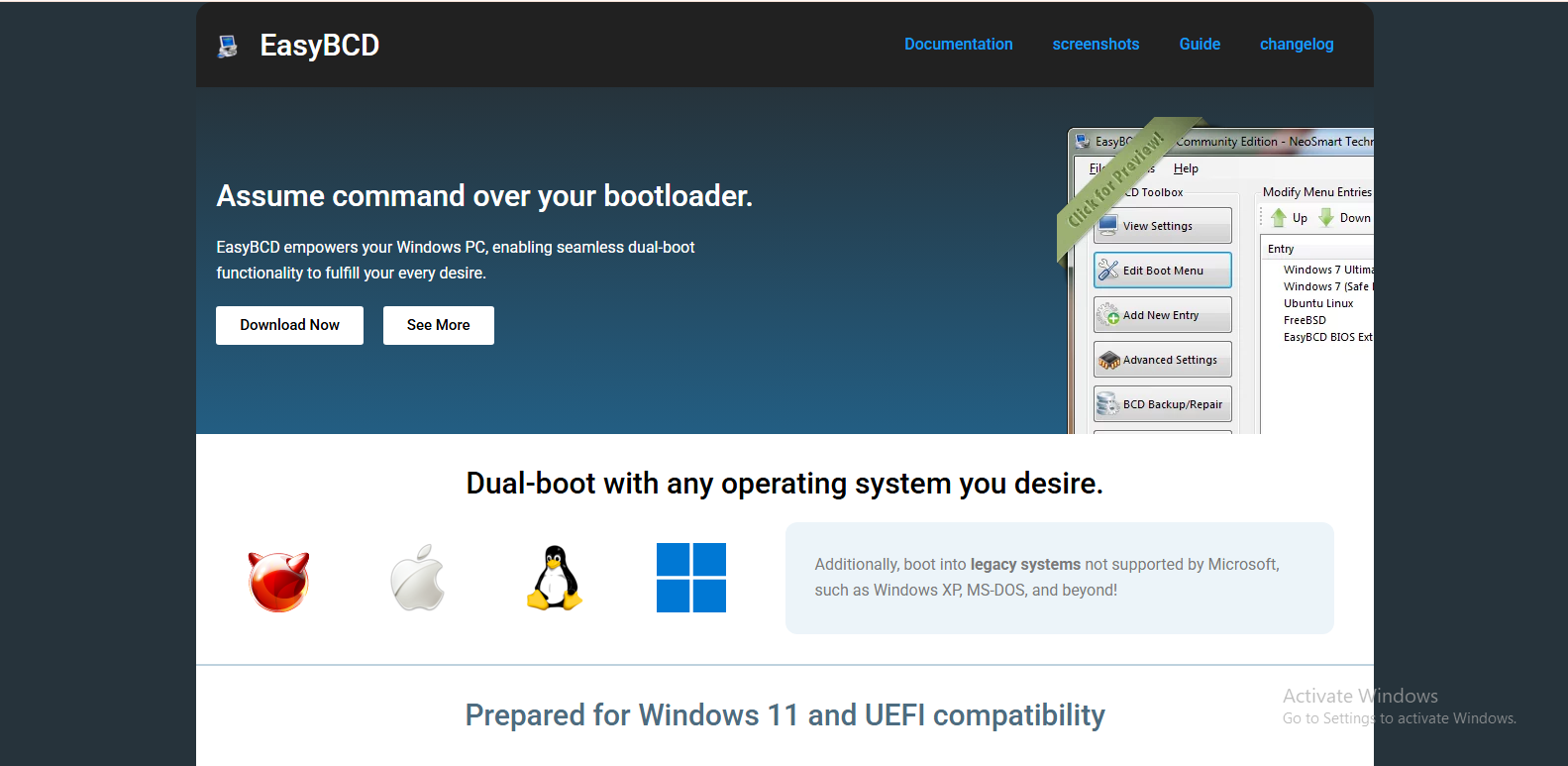
Managing multiple operating systems on a single computer can quickly become confusing, especially for users who dual-boot Windows with Linux or older versions of Windows. Boot configuration files, system entries, and recovery options often require technical knowledge to handle safely. This is where boot management tools like EasyBCD come into play. It is designed to simplify the process of controlling how a computer starts and which operating system loads by default.
EasyBCD is widely known as a user-friendly interface for editing the Windows bootloader. Instead of manually dealing with complex command-line tools or system files, users can manage everything through a graphical interface. The question many users ask is whether EasyBCD truly simplifies boot management or if it only adds another layer of complexity.
Understanding Boot Management in Modern Systems
Boot management refers to the process of controlling how a computer initializes and which operating system is launched during startup. Modern systems typically rely on the Windows Boot Manager or GRUB for Linux-based systems. These tools work behind the scenes but are not always easy for beginners to modify.
Without a dedicated tool, changing boot entries or repairing boot issues often involves using advanced commands in the Windows Recovery Environment or Linux terminal. For many users, this can feel intimidating and risky, especially when incorrect changes can prevent the system from starting properly.
This is the gap that EasyBCD tries to fill by providing a simple graphical interface for boot configuration tasks.
What Makes EasyBCD Stand Out
EasyBCD is designed with accessibility in mind. It allows users to add, remove, or modify boot entries without needing deep technical knowledge. Instead of editing system files manually, users can click through menus and apply changes safely.
One of its strongest advantages is compatibility. It works with multiple operating systems, including different versions of Windows and various Linux distributions. This makes it especially useful for people who experiment with dual-boot setups or need to maintain multiple environments for work and personal use.
Another important feature is its ability to repair boot issues. When the bootloader becomes corrupted or misconfigured, EasyBCD can help restore access to the system without requiring full system reinstallation.
Simplifying Dual-Boot Setup
Setting up a dual-boot system is often seen as one of the more advanced tasks for everyday computer users. Normally, it requires partitioning a drive, installing a second operating system, and then configuring the bootloader correctly.
EasyBCD simplifies this process by allowing users to add new boot entries after installation. For example, if a user installs Linux alongside Windows, EasyBCD can detect the Linux partition and create a proper boot entry for it. This reduces the need to manually configure GRUB or edit boot configuration data through command-line tools.
The result is a smoother experience for users who want multiple operating systems without diving into technical complexity.
Reducing Risk of Boot Errors
One of the biggest concerns when modifying boot settings is the risk of system failure. Incorrect changes to boot configuration files can lead to a system that refuses to start. For non-technical users, recovering from such errors can be difficult and time-consuming.
EasyBCD reduces this risk by offering a controlled environment for making changes. Since it uses a graphical interface, users are less likely to make syntax errors or apply incorrect commands. It also provides backup and restore options, allowing users to revert changes if something goes wrong.
This safety layer is one of the key reasons many users prefer tools like EasyBCD over manual configuration methods.
User-Friendly Interface for Beginners
A major advantage of EasyBCD is its simplicity. The interface is designed to be intuitive, with clearly labeled options for common tasks like editing boot menus, changing default operating systems, or adjusting boot timeout settings.
For beginners, this eliminates the need to learn complex bootloader terminology or command-line instructions. Instead, users can understand their system’s boot configuration visually and make adjustments with confidence.
This ease of use makes EasyBCD particularly popular among students, casual users, and professionals who want quick solutions without deep system administration knowledge.
Advanced Features for Experienced Users
While EasyBCD is beginner-friendly, it also includes advanced features for more experienced users. It allows detailed control over bootloader entries, supports custom boot entries, and provides tools for debugging boot issues.
Advanced users can also use it to configure portable or virtual environments, making it useful in testing scenarios or development setups. This balance between simplicity and advanced functionality is one of the reasons EasyBCD remains widely used.
However, despite these features, it still abstracts much of the complexity behind a graphical interface, which is both a strength and a limitation depending on the user’s needs.
Limitations of EasyBCD
Although EasyBCD is powerful, it is not a complete replacement for understanding how boot systems work. In some cases, especially with newer UEFI systems or complex Linux configurations, manual adjustments may still be required.
It also primarily focuses on Windows boot management, which means users relying heavily on Linux boot tools like GRUB may find limited control compared to native solutions.
Another limitation is that over-simplification can sometimes hide important details. Users who rely entirely on the tool without understanding what changes are being made might face difficulties troubleshooting advanced issues later.
Is EasyBCD Really a Simplifier?
When evaluating whether EasyBCD simplifies boot management, the answer largely depends on the user’s experience level. For beginners and casual users, it significantly reduces complexity and makes multi-boot setups far more accessible. It replaces command-line confusion with a clear, visual interface that is easy to navigate.
For advanced users, it acts more as a convenience tool rather than a necessity. While it speeds up certain tasks, it may not provide the full level of control that manual configuration offers.
Overall, EasyBCD succeeds in its primary goal of making boot management more approachable. It bridges the gap between technical system configuration and everyday usability.
Final Thoughts
Boot management has traditionally been one of the more technical aspects of operating system maintenance. Tools like EasyBCD have changed that by offering a simplified and user-friendly approach to controlling system startup behavior.
While it is not perfect and does not eliminate the need for basic system knowledge, it greatly reduces the difficulty involved in managing multiple operating systems. For users who want a straightforward way to handle boot configurations, EasyBCD can indeed be considered a valuable and simplifying solution.
